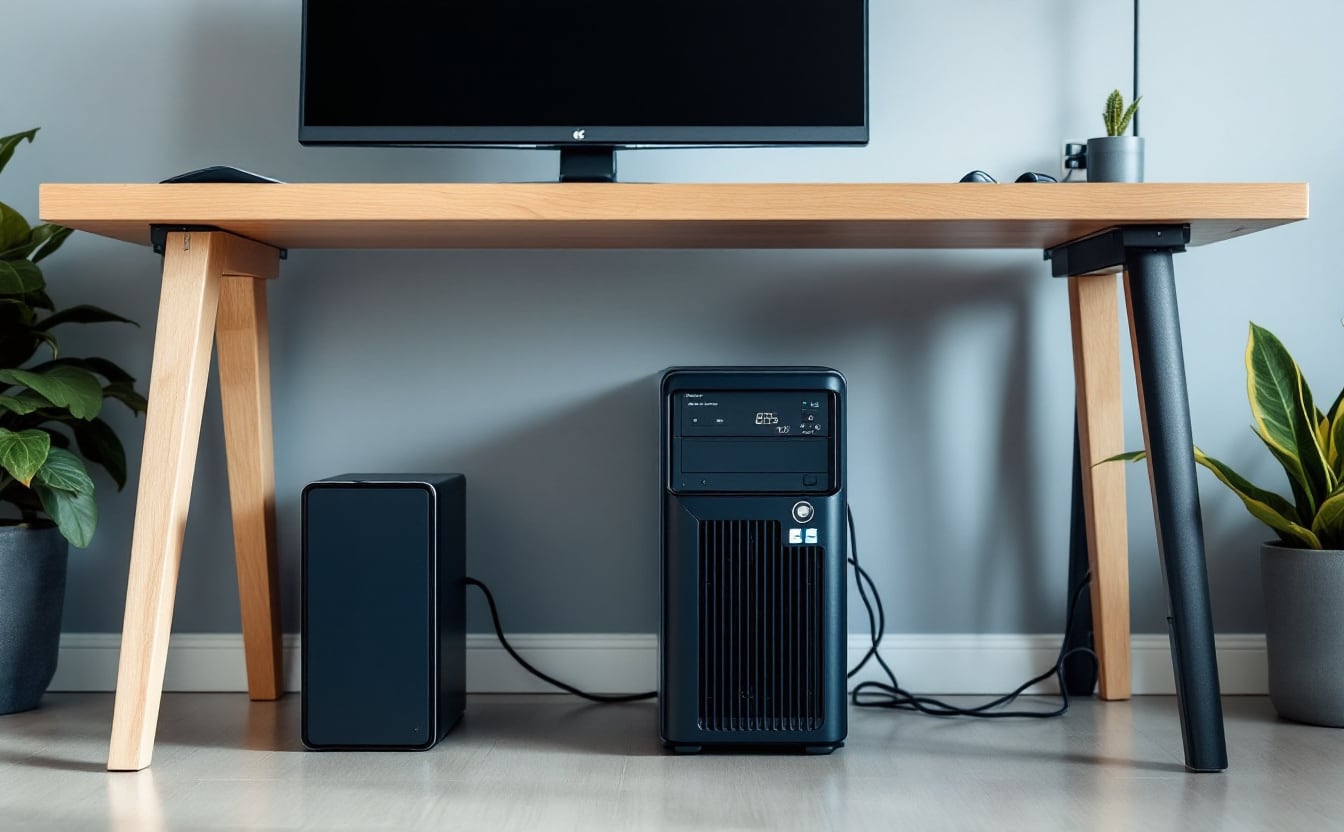
To size a UPS battery backup for a computer, measure what the PC and monitor actually draw with a plug-in watt meter, multiply by 1.25, and choose a unit whose watt rating, not just its VA figure, clears that number. A gaming or workstation PC with an active PFC power supply also needs pure sine wave output on battery, which in practice means a 1,500 VA unit with a 24 V battery bank. Then connect the USB cable and set the shutdown software, so the PC closes itself cleanly within the few minutes the battery gives.
Ready list
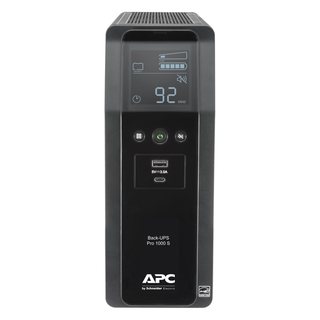
APC Back-UPS Pro BR1000MS 1000 VA / 600 W, sine wave
Sine wave output, 10 outlets and an LCD: a desk UPS for the minutes a desktop needs to save and shut down.
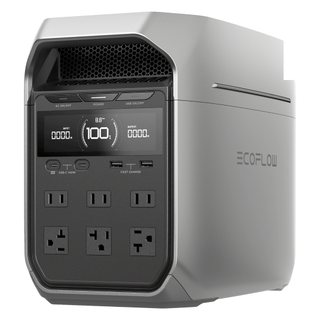
EcoFlow DELTA 3 Plus 1,024 Wh, under 10 ms UPS
A 1 kWh class station with a UPS mode EcoFlow rates at under 10 ms: the network and a laptop through a full outage day.
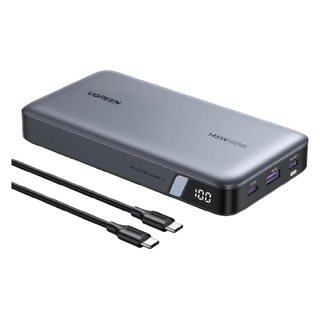
UGREEN 145W 25000mAh Power Bank 25,000 mAh, 145 W
Charges phones and a laptop over USB-C so the station's inverter can stay off.
Chosen from manufacturer specifications and published reviews, not tested by us. The Readiness kit
Our general UPS battery backup guide covers network closets and mixed desks. This one stays with the computer: how to find its real load, why the power supply decides the waveform, how many minutes you actually need, and what else belongs on the battery outlets.
Measure the draw, not the power supply label
The number on the power supply is a ceiling, not a load. A 750 W label means the supply can deliver up to 750 W, not that the PC draws it, and an office PC with that supply may sit far below half of it all day. Sizing a UPS from the label buys a unit twice as big as you need. Sizing from a guess can buy one too small for the moment that matters.
A plug-in power meter, the kind sold for checking appliance energy use, settles it in ten minutes:
- Plug the meter into the wall and the PC into the meter. Add the monitor through the same meter, or measure it separately.
- Note the reading at the desktop with a few programs open.
- Run the heaviest job you do for several minutes: a demanding game, a video export, a big compile. Note the highest reading.
- Add the modem and router if they will share the UPS, about 22 W for the pair.
Use the heavy-load figure for sizing. A meter shows an average and can miss very short peaks, which is part of what the 25 percent headroom covers. Gaming PCs swing the most: a machine that idles politely at the desktop can draw several times as much in a game, and the UPS has to carry the higher number if the outage hits mid-match.
From watts to a UPS rating
The rule our UPS size and runtime calculator uses is simple: minimum watt rating = measured load × 1.25, so the unit runs near 80 percent of its capacity, and minimum VA = that figure ÷ 0.6, a typical ratio for consumer units. Here are six example setups run through it. The loads are illustrations; your meter reading replaces them.
| Setup (example load) | Load | Minimum watts | Minimum VA | One 12 V 9 Ah battery | Two 12 V 9 Ah (24 V) |
|---|---|---|---|---|---|
| Laptop, dock and 24 in monitor | 115 W | 144 W | 240 VA | About 21 min | About 51 min |
| Office PC and 24 in monitor | 175 W | 219 W | 365 VA | About 13 min | About 30 min |
| Office PC, monitor, modem and router | 197 W | 246 W | 410 VA | About 11 min | About 26 min |
| Workstation and two monitors | 360 W | 450 W | 750 VA | About 5 min | About 12 min |
| Gaming PC in a game and 27 in monitor | 435 W | 544 W | 906 VA | About 4 min | About 10 min |
| The same, plus modem and router | 457 W | 571 W | 952 VA | About 4 min | About 9 min |
Runtimes are the calculator's Peukert estimates at 85 percent inverter efficiency, for new batteries in a cool room. The 650 and 850 VA class usually carries a single 12 V block, and the 1,500 VA class two blocks in series, but battery sizes vary by model, so treat the maker's runtime chart for your exact unit as the final word.
Two things stand out. Doubling the battery voltage more than doubles the minutes, because the current halves and lead-acid batteries give up more of their capacity when drained slowly. And a gaming PC under full load gets single-digit minutes even from a 1,500 VA unit. That is enough for an automatic shutdown, which is the job, but not for finishing the match.
Readiness kit
- APC Back-UPS Pro BR1000MS1000 VA / 600 W, sine waveGo to Abt
- EcoFlow DELTA 3 Plus1,024 Wh, under 10 ms UPSGo to EcoFlow
- UGREEN 145W 25000mAh Power Bank25,000 mAh, 145 WGo to UGREEN
VA vs watts: read the second number
UPS listings lead with VA because it is the bigger number. VA is volts times amps; watts is the real power your PC consumes, and on consumer units the watt rating is almost always the limit you hit first. The ratio differs from model to model. Among the units on our shortlist:
| Unit | VA | Watts | Output on battery |
|---|---|---|---|
| APC Back-UPS 650VA (BE650G1) | 650 | 390 | Stepped (simulated) sine |
| APC Back-UPS 850VA (BE850G2) | 850 | 450 | Stepped (simulated) sine |
| APC Back-UPS Pro 1500VA (BR1500MS2) | 1,500 | 900 | Pure sine |
| CyberPower CP1500PFCLCD | 1,500 | 1,000 | Pure sine |
The gaming setup above needs 571 W. The 850 VA unit sounds big enough and is not: its 450 W limit sits well below the requirement. Both 1,500 VA units clear it, with the 457 W load at about 46 percent of the CyberPower's 1,000 W and 51 percent of the APC's 900 W.
Active PFC means pure sine
Many desktop power supplies now use active power factor correction. On battery, a budget UPS produces a stepped approximation of a sine wave, and CyberPower's own technical guidance on its PFC Sinewave line explains the risk: the brief gaps in that stepped output can make an active PFC supply read the transfer as a power loss and shut down. The UPS switched in time, and the PC still went dark.
Three ways to tell what you have:
- The power supply label or the PC maker's spec page says "Active PFC".
- The supply carries an 80 PLUS badge. Certification requires a power factor of at least 0.9 at full load, so treat a badged supply as active PFC unless its spec sheet says otherwise.
- You cannot find out. Then buy pure sine; guessing wrong costs you exactly the outage you bought the UPS for.
A stepped sine unit such as the 650 VA model is still a sound choice for a laptop desk, where the laptop runs on its own battery, and for older or basic office PCs with passive PFC supplies.
How many minutes do you need?
Fewer than most people think, as long as the shutdown is automatic. A clean shutdown takes a minute or two: applications close, files flush to disk, the operating system powers down. Hibernation, where the PC saves its memory to disk and turns off, is a little slower but brings every window back when the power returns.
Set a target of at least 10 minutes at your normal working load, and configure the software to start the shutdown early, for instance after two minutes on battery or at five minutes of estimated runtime remaining, whichever comes first. Brief flickers and dropouts end long before that trigger, so the PC rides through them without closing anything.
Then allow for age. Batteries lose capacity over the years, and heat speeds that up. At 80 percent of original capacity, the office desk at 197 W drops from about 26 to about 20 minutes on a 24 V bank, and the gaming setup at 457 W from about 9 to about 7. If the new-battery figure only just meets your target, it will not meet it in year three. Our piece on testing generators and UPS units covers timed discharge tests that catch this before an outage does.
Shutdown software: the USB cable matters
A UPS without its data cable keeps the PC running until the battery dies, then cuts power, which is the very crash it was meant to prevent. Connect the USB cable from the UPS's data port to the PC, then set up shutdown on the operating system.
- Windows. APC's current tool for Back-UPS units is PowerChute Serial Shutdown, which replaced PowerChute Personal Edition in March 2023 and talks to Back-UPS units over USB. CyberPower's is PowerPanel Personal. Both let you choose the trigger and whether to shut down or hibernate.
- macOS. Once a UPS is connected by USB, a UPS section appears in the Mac's energy settings. Apple's guide lets you pick one or more shutdown conditions, and the Mac shuts down when the first one is met.
Test it once, with work saved: pull the UPS plug from the wall and watch the PC shut itself down on schedule. Plug it back in only after the shutdown completes.
What else belongs on the battery outlets
- The monitor, always. Without it you cannot watch the shutdown or save by hand.
- The modem and router, if they sit within reach. They draw about 22 W together and keep video calls and cloud sync going through flickers. If they live elsewhere, give them their own small UPS.
- An external drive or NAS that the PC writes to.
Keep speakers, printers, desk lamps and chargers on the surge-only outlets or on a separate strip, and never plug a power strip into a UPS output; our UPS vs surge protector guide explains why. A second PC needs its own share of the watt rating, and usually its own UPS.
If you need hours rather than minutes, a UPS is the wrong tool. Our comparison of portable power station vs UPS covers when a station takes over and why a desktop still wants a UPS in front of it.
Computer UPS checklist
- Measure the PC and monitor under your heaviest work, and add the network gear if it will share.
- Multiply by 1.25 and check the UPS's watt rating, not the VA badge.
- Active PFC or an 80 PLUS badge: pure sine only.
- A 24 V battery bank where you need more than about 10 minutes at a desktop load.
- USB cable connected, shutdown software set, one pull-the-plug test done.
- Printers and lamps off the battery outlets; no strips on the output.
- Write the install date on the unit and plan a battery replacement in three to five years.
Our picks
For a gaming PC or a workstation, the CyberPower CP1500PFCLCD gives pure sine output and the highest watt rating on our list, enough for the 457 W gaming setup with room for a second monitor. The APC Back-UPS Pro 1500VA (BR1500MS2) is the alternative at 900 W, with pure sine output and an LCD. For a basic office PC or a laptop desk, the APC Back-UPS 850VA (BE850G2) and the APC Back-UPS 650VA (BE650G1) do the job, with one caution: both put out a stepped, simulated sine wave on battery, so keep them away from active PFC power supplies.
Sources
- APC by Schneider Electric and CyberPower product specifications for BE650G1, BE850G2, BR1500MS2 and CP1500PFCLCD (VA and watt ratings, output waveform).
- CyberPower technical guidance on active PFC power supplies and pure sine wave output.
- Schneider Electric FAQs on PowerChute Serial Shutdown replacing PowerChute Personal Edition (March 2023).
- Apple: Set a Mac to shut down when connected to a UPS
- 80 PLUS program requirements (efficiency and power factor), as summarized by Cooler Master and other power supply makers.
- Peukert's law, as applied in our UPS size and runtime calculator.
- Ready.gov: Power Outages
Kit check
- APC Back-UPS Pro BR1000MS 1000 VA / 600 W, sine waveGo to Abt
- EcoFlow DELTA 3 Plus 1,024 Wh, under 10 ms UPSGo to EcoFlow
- UGREEN 145W 25000mAh Power Bank 25,000 mAh, 145 WGo to UGREEN
Frequently asked questions
What size UPS do I need for a gaming PC?
Measure the PC and monitor during a demanding game, multiply by 1.25, and pick a pure sine unit whose watt rating clears the result. A setup drawing 435 W needs about 544 W and 906 VA by our calculator, which points to the 1,500 VA class rather than an 850 VA unit with a 450 W limit.
Does a computer need a pure sine wave UPS?
If its power supply uses active PFC, yes. Simulated sine output can make those supplies shut down at the moment of transfer. Many current desktop supplies are, and an 80 PLUS badge is a strong hint. Laptops and older passive PFC supplies run fine on stepped output.
How long will a UPS keep my computer running?
Usually minutes. By our calculator, an office PC and monitor at 175 W get about 13 minutes from a single 12 V 9 Ah battery and about 30 from a 24 V bank. A gaming PC under full load gets closer to 10 minutes on a 1,500 VA unit, which is enough for an automatic shutdown.
Should the monitor and router be on the UPS?
Yes to both, if the watt rating allows. The monitor lets you see the shutdown happen, and a modem and router at about 22 W keep calls and cloud sync alive through short outages. Printers, speakers and lamps belong on the surge-only outlets instead.